
Experimenting with Langflow: A Window into AgenticAI Automation
GenAI (Generative AI) applications are already a part of daily life. Most of us use copilot as an assistant when we need to find an elusive document, email or chat message, get the main points from a call, write code faster, and so on.
However impressive the capabilities of modern GenAI are, we are still using them as ad-hoc tools. Harnessing the power of LLMs (Large Language Models) to create automation flows is still a growing area within the tech industry. In this article, we look at a way to gain hands-on experience into rapidly prototyping AgenticAI automations for customer-facing workflows.
Why Should I Care?
Understanding how AgenticAI flows work enables solution designers to compare architectures and integration strategies effectively, while giving enterprise architects the insights needed to evaluate scalability, security, and alignment with the broader IT ecosystem.
In Vodafone, AI adoption is part of our strategy to connecting everyone and driving real transformation through innovation.
What is Langflow?
Langflow is a low-code tool, used to build AI agents and the environment within which they operate. It provides a simple GUI where the user adds components on a canvas and connects them together to form an automation workflow.
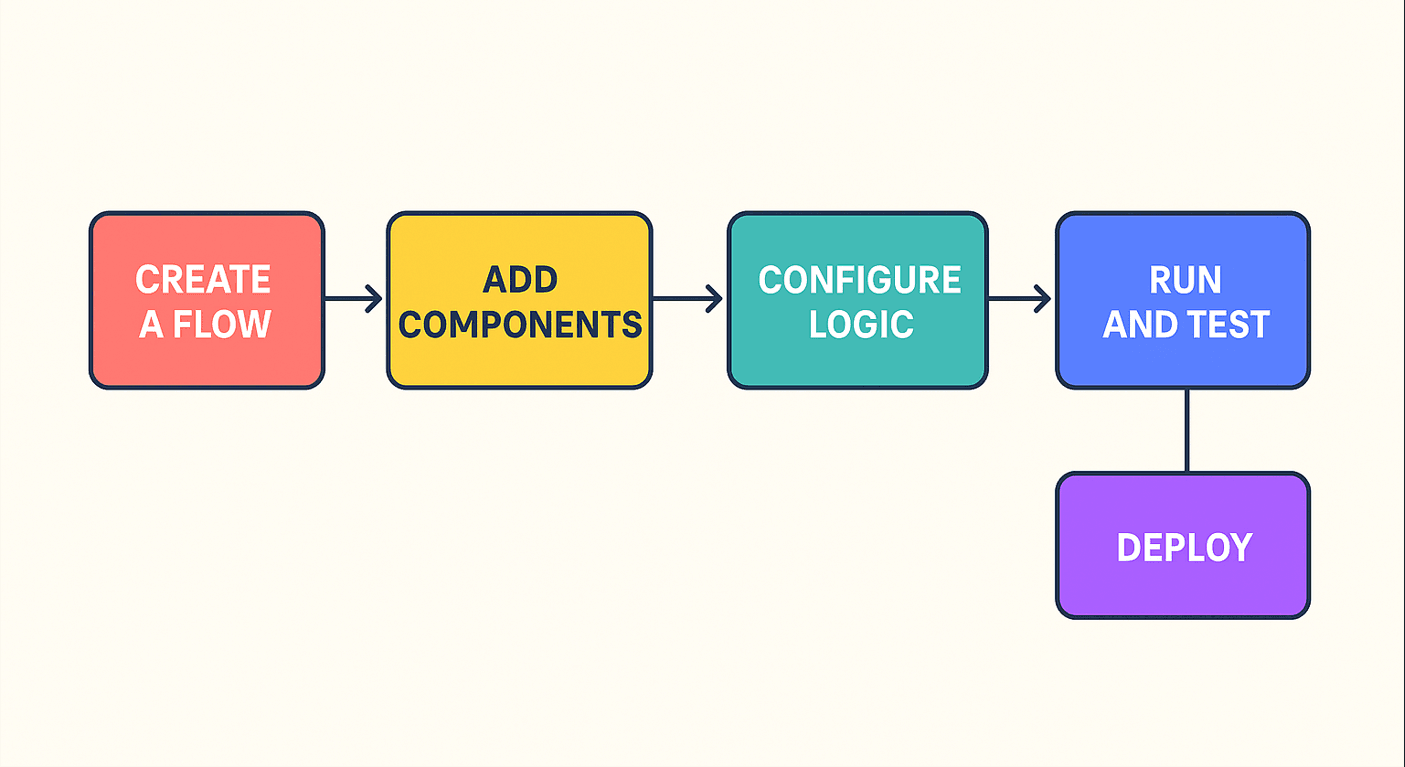
The following are key terminologies relevant to the Langflow ecosystem.
Flow: A set of Langflow components linked on a canvas UI to meet a business need. For example, a troubleshooting flow might retrieve and validate customer data, perform networking actions, and confirm results with the customer.
Component: Each box on a flow canvas. Component types include agent, tool, chat input, prompt, LLM model etc.
Agent: A component that makes decisions, performs actions, and outputs responses, typically using an input prompt, an LLM model, and a set of tools.
Tool: A component that implements a specific function. For example, a calculator, a python interpreter, or an API definition.
Setting up the Environment
To start experimenting with Langflow in a local environment you will need a PC with internet access and docker installed.
Step 1: Download and run the Langflow container.
At this point, you can either set up a subscription for an LLM API key from providers such as OpenAI, Anthropic, or Google (note that Google currently provides a free trial but requires registration), or choose to download a free model and run it locally on your PC. If you opt for the latter, proceed with steps 2 and 3 below. Otherwise, continue to the “Experimenting” section.
Step 2: Download and run the ollama container. You will need this to run LLMs locally without an API subscription.
Step 3: Download one or more LLMs locally using your ollama installation. You can browse the ollama LLM library and select an LLM that supports tooling (has the “tools” tag under its name). I suggest downloading the two below:
- Qwen3-0.6, is one of the smaller (and dumber) LLM models that can run with adequate response times even if you don’t have a GPU)
- Llama3.1-8b should give you a good balance between results and response times if you have a decent GPU.
With Langflow running, you can go to http://localhost:7860 and start building your agentic flow. Using the Agent template will automatically create an agent component connected to the a few basic tools, chat input and chat output.
- If you have an API key, paste it in the corresponding field on the Agent component.
- If you are running a local LLM, connect it using the below steps:
Find the ollama component using the search bar and add it to the canvas
Use http://host.docker.internal:11434 for the URL field and select one of the models you downloaded from the list below.
Change the LLM component output to “Language Model”.
Change the Agent LLM field to “Other LLM”
Connect the LLM component output to the Agent LLM field.
Click the Playground button at the top left to chat with your agent. When you request a calculation or a web page, it will use the calculator or URL tools automatically. You can switch between Playground and Canvas view at any time.
Experimenting
Now that your baseline is functional, you can experiment with your flow. Try these activities:
Play around with your agent’s “Instructions” field. This is where you define the role of the Agent. For example, you can instruct it to speak like a pirate or respond as a psychologist would.
Add one of the many tools that integrate popular services like gmail or google drive, connect it to your account and use your AI Agent as your personal assistant to send emails or manage your calendar.
Connect multiple agents and give each of them a different role. The one connected to the chat input can be your delegator agent that breaks complex user requests into different tasks and passes them over to specialized agents before producing the combined response to the chat output.
Note that every time you want to connect a component to an agent as a tool you need to select the “Use as Tool” flag. In the third example, the specialized agents will be used as tools by the delegator.
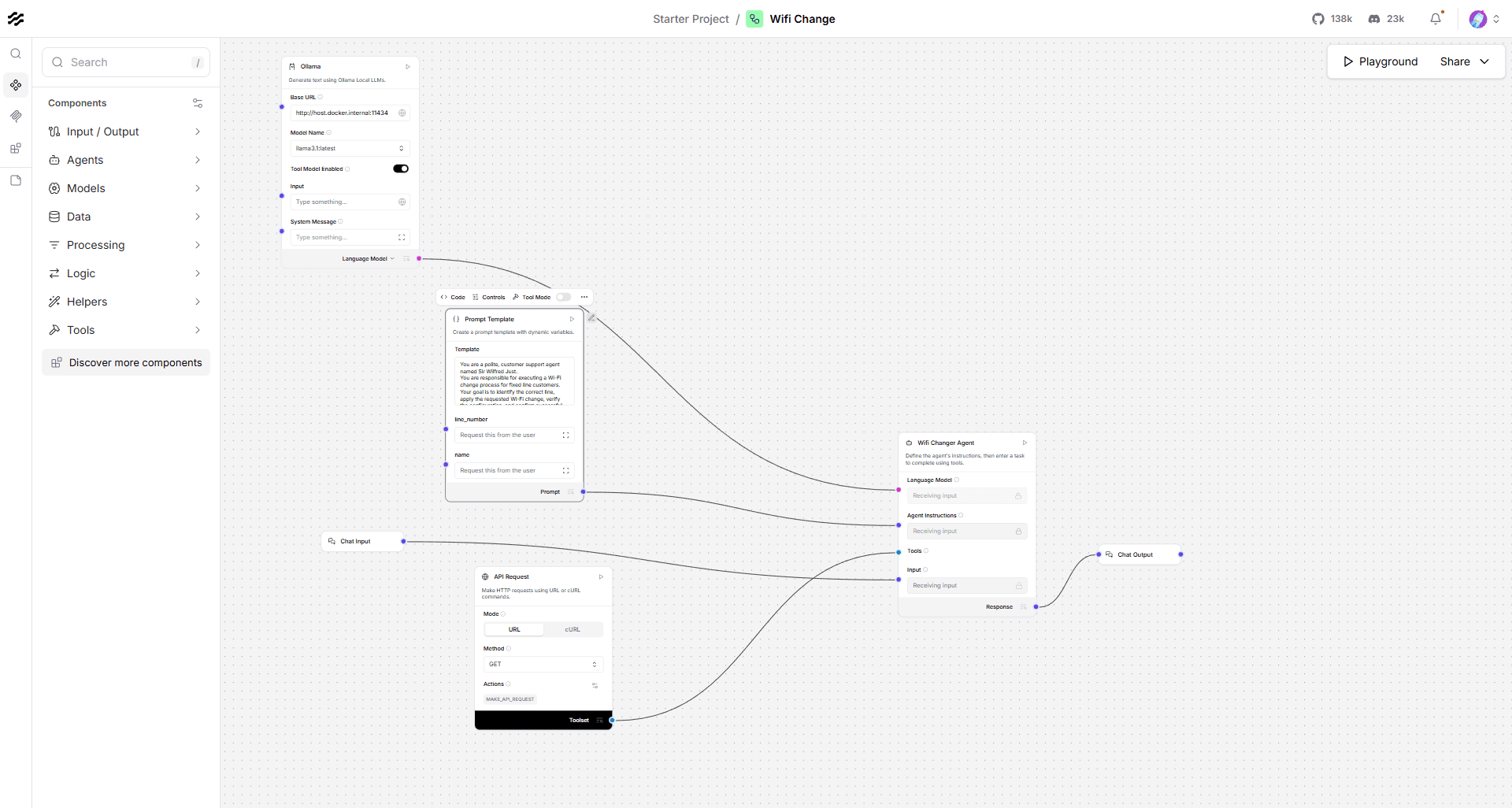
Once you feel comfortable with the Langflow ecosystem you can move into simulating some real world scenarios like customer support automation, document processing, or fraud detection. Set up dummy API definitions that simulate your real-life operations (eg fetching customer info, performing remote reboots, opening tickets) and test how well the AI Agents tackle your business flows.
Whats Next?
Langflow and similar tools (such as n8n, Google’s Vertex AI, Microsoft’s copilot studio, OpenAI’s agent builder, etc) offer a powerful and accessible way to create, customize, and deploy AI automation workflows using a low-code approach.
In an AI-driven architectural approach, these flows would represent business oriented functions, potentially replacing traditional API workflow models.
As GenAI continues to evolve, agentic AI workflows become a rapidly evolving area for unlocking new efficiencies and innovation. Hopefully this article has helped you get a closer look at this technology and inform your opinion on its potential, as well as its limitations.